
Quiet codec headaches on Windows.
K-Lite Codec Pack layers the decoders, parsers, and helpers Windows needs so clips and songs open in the software you already prefer.
It targets the usual failure modes—silent tracks, blank video, drifting captions—without pushing a new player or shady bundles.
Download current buildNo fee, steady upkeep, and an uninstall path that respects your machine.
Wide container coverage
MKV, MP4, AVI, MOV, FLAC, AAC, and other staples stay predictable once the pack is in place.
Installer walks with you
Sensible defaults and optional detail panes keep the first run short and understandable.
Honest licensing
Zero paywalls or surprise modules—remove it cleanly from Settings whenever you like.
Inside the Windows playback layer
Compressed media relies on small decoder modules, while wrappers like MKV or MP4 need parsers that surface every track. K-Lite Codec Pack drops in a measured set of those pieces so Windows stops guessing.
Rather than replacing your favorite player, it deepens what the operating system already exposes—yielding steadier visuals, faithful sound, and captions that follow the timeline.
Core building blocks
Well-known decoders and demuxers register cleanly so shells and players see a coherent graph.
Sharper track detection
Alternate languages, embedded subs, and demanding HDR payloads surface with fewer surprises.
Predictable setup
Designed for lawful personal viewing with plain-language prompts and reversible installs.
Player-agnostic
Bolsters whatever front-end you already use—shortcuts, libraries, and themes stay untouched.
Format coverage at a glance
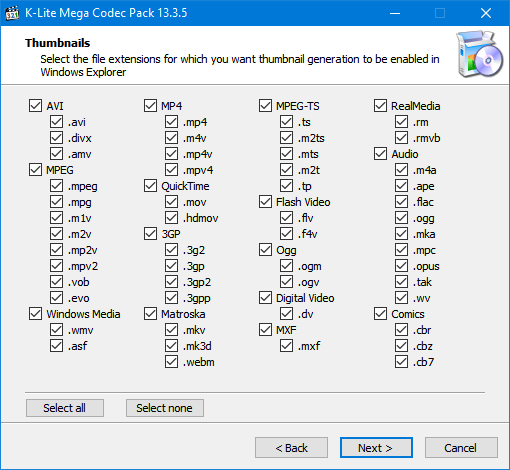
Video codecs
H.264, HEVC, VP9, AV1, DivX, Xvid, and long-tail MPEG-era streams.
Audio codecs
MP3, FLAC, AAC, Vorbis, Opus, and additional broadcast-friendly options.
Player pairing
Works alongside Windows Media Player, MPC-HC, and many third-party clients.
Safety-minded packaging
Straightforward manifests—skip the repack sites and verify hashes when you can.
Why people keep it installed
Community members rely on K-Lite Codec Pack for day-to-day Windows playback—no charge, periodic refreshes, and a focus on lawful personal libraries.
"Archival rips and screeners finally behave the same as streaming exports."
— Sarah M., post supervisor
"Every player in my rotation sees the same codec graph—no more random failures."
— James T., hobbyist editor
"I can hand trainees one installer and move on—uninstall is just as simple."
— Maria L., IT instructor
Snapshot FAQ
First-time questions
Performance & overlap
Trust & sourcing
Ready to refresh your codecs?
Download current buildWhere teams lean on it
Daily video
Screeners, exports, and phone clips stop throwing missing-filter errors.
Music & VO
Lossless, podcast, and broadcast WAV variants decode without extra plugins.
Legacy libraries
DVD-era and early-web codecs remain reachable for archivists.
Big catalogs
Batch rips and NAS shares stay playable without constant per-file fixes.